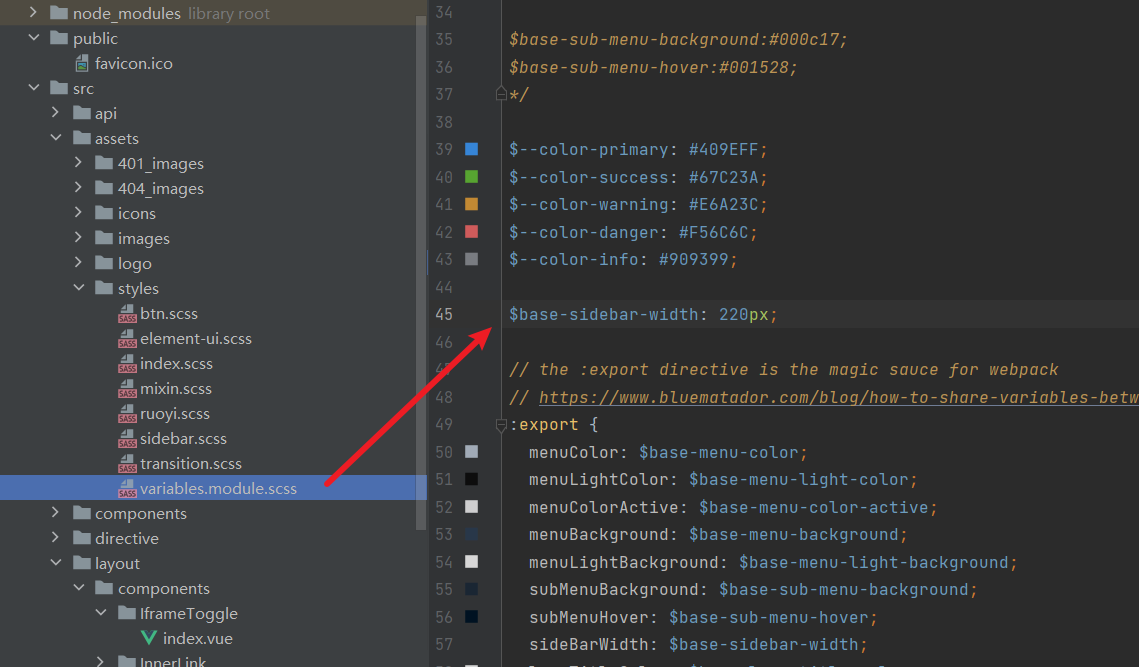
菜单宽度调整
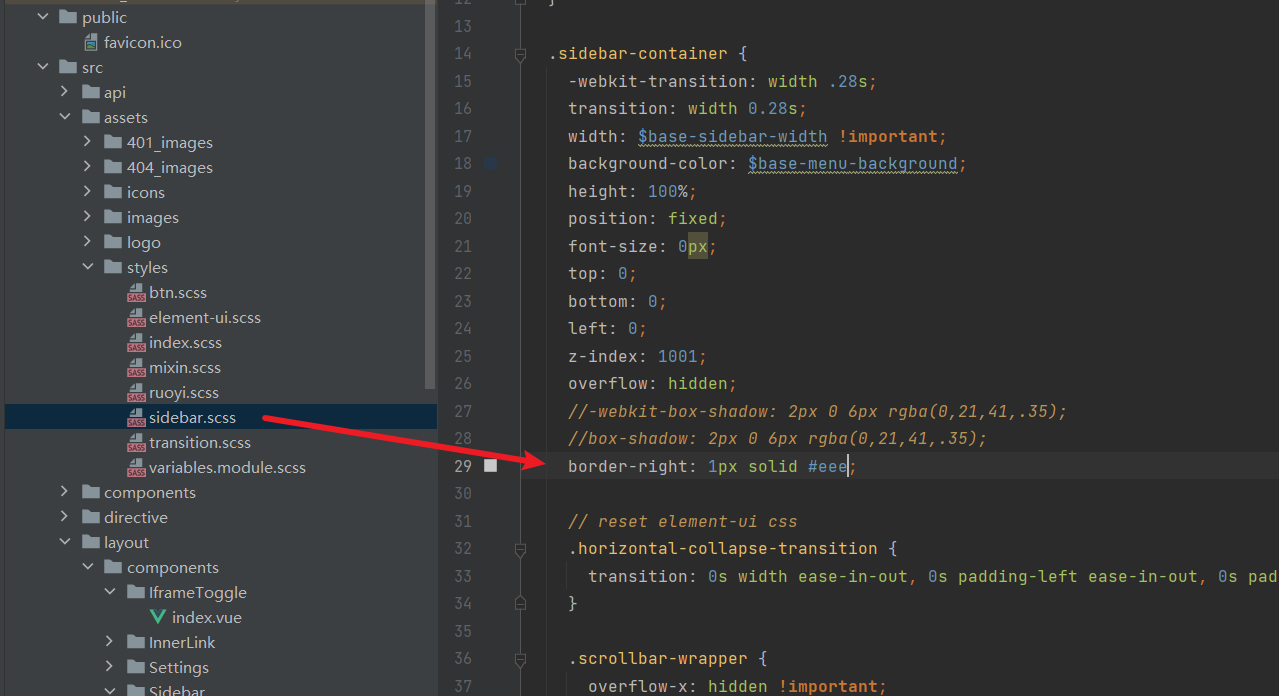
菜单阴影去除
字体调整
在app.vue中加入
@font-face {
  font-family: 'MyFont';
  src: url('@/assets/KoiFont-D8fBFwAi.woff2') format('truetype'); /* 也可以是其他格式,如 'woff', 'woff2' */
  font-weight: normal;
  font-style: normal;
}

* {
  font-family: 'MyFont', sans-serif;
  font-weight: 200;
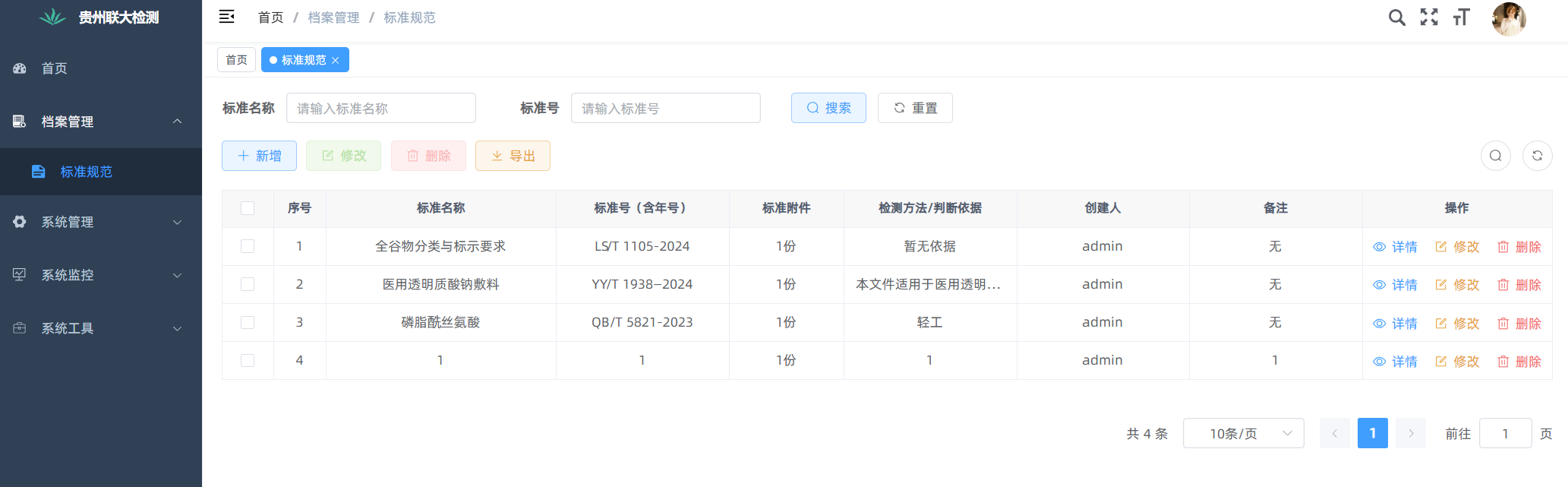
}
打开标签优化
结果
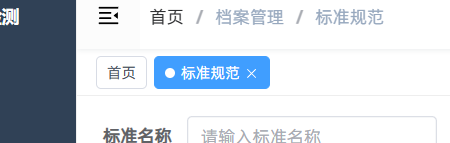
步骤1
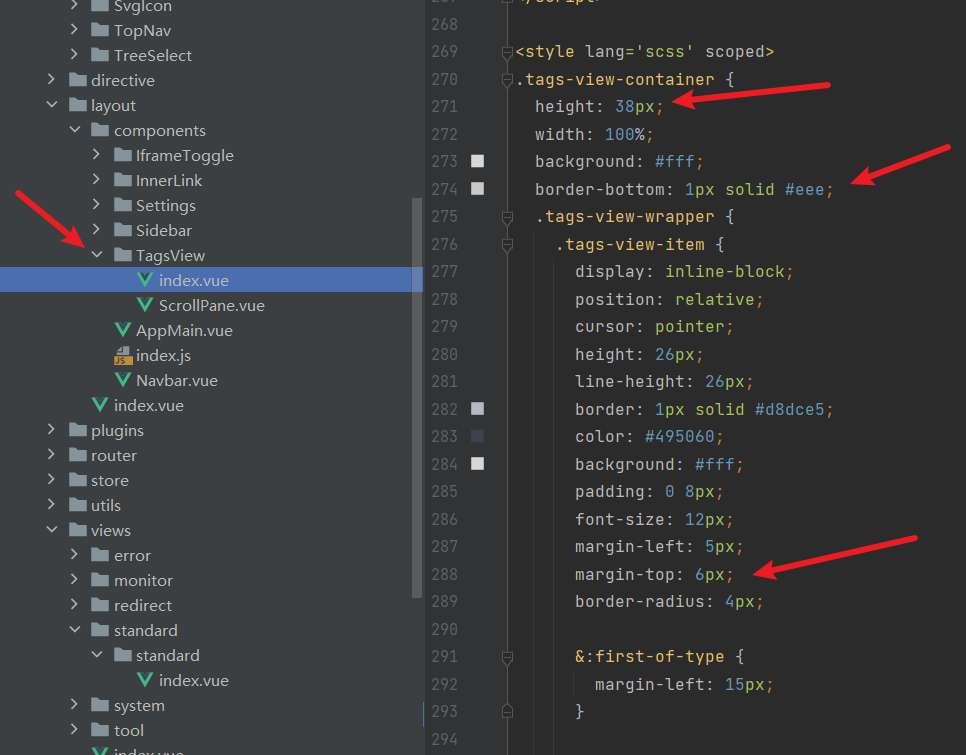
步骤2
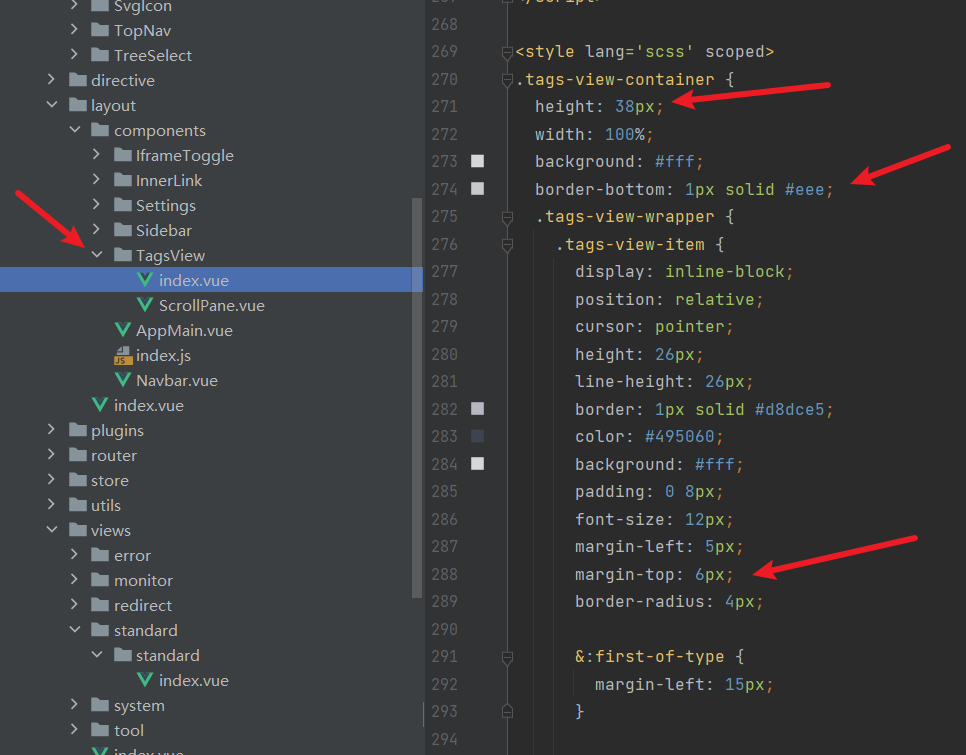
除去右侧滚动条
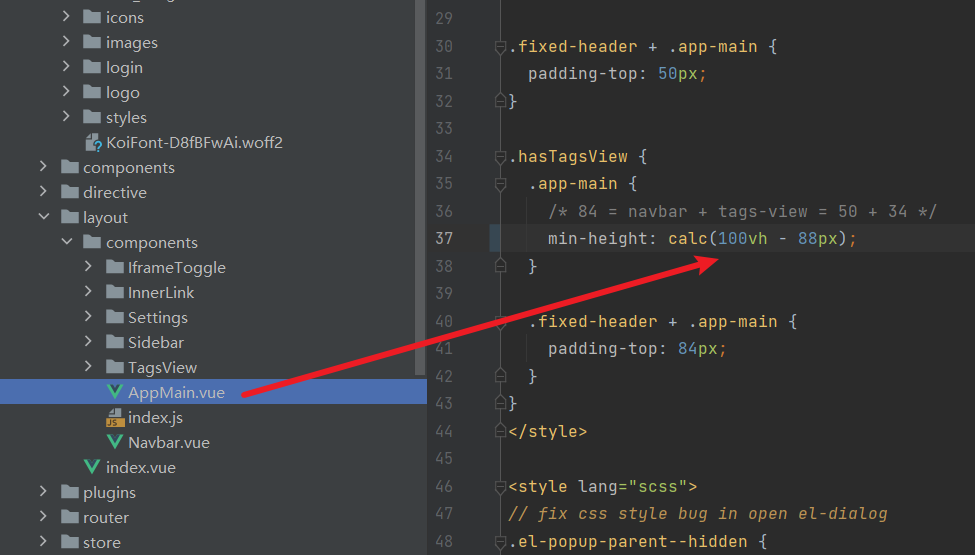
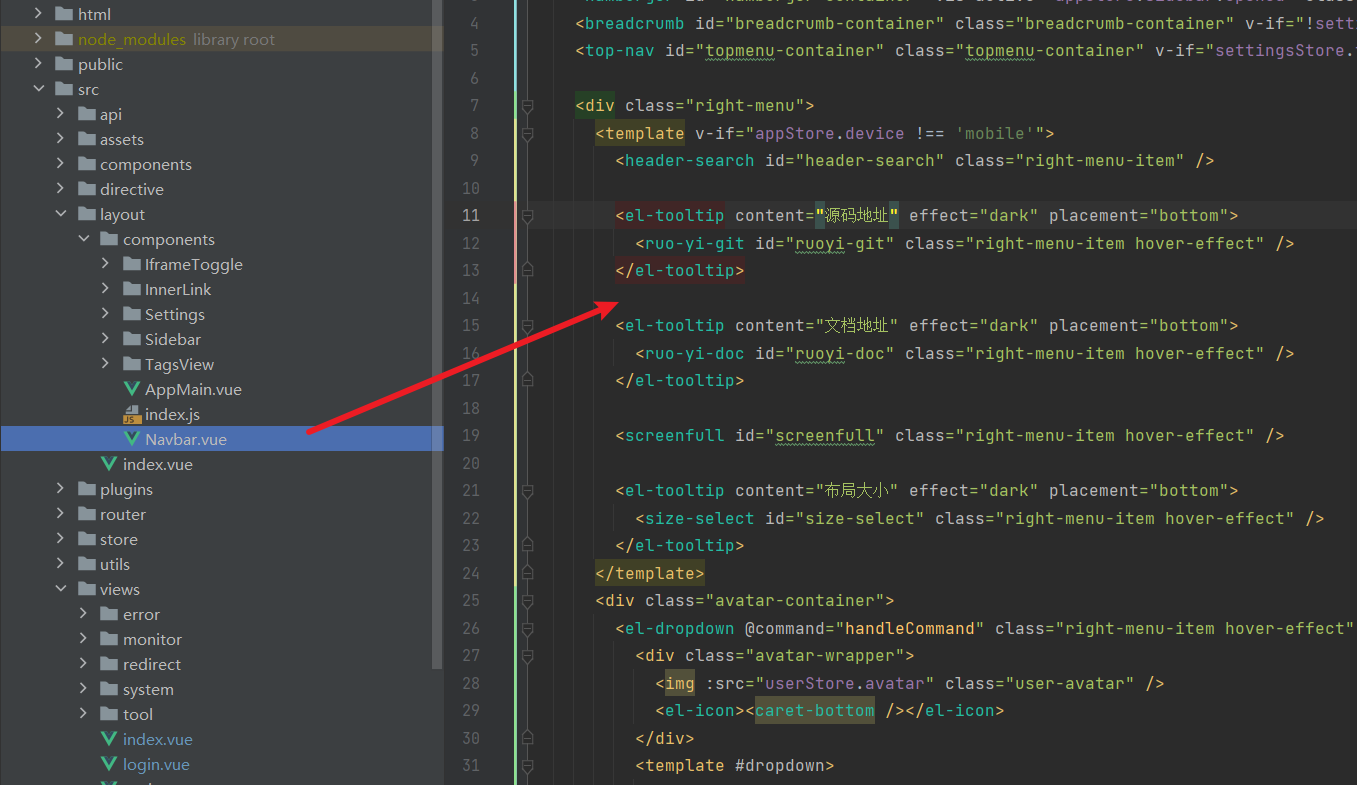
去除源码地址
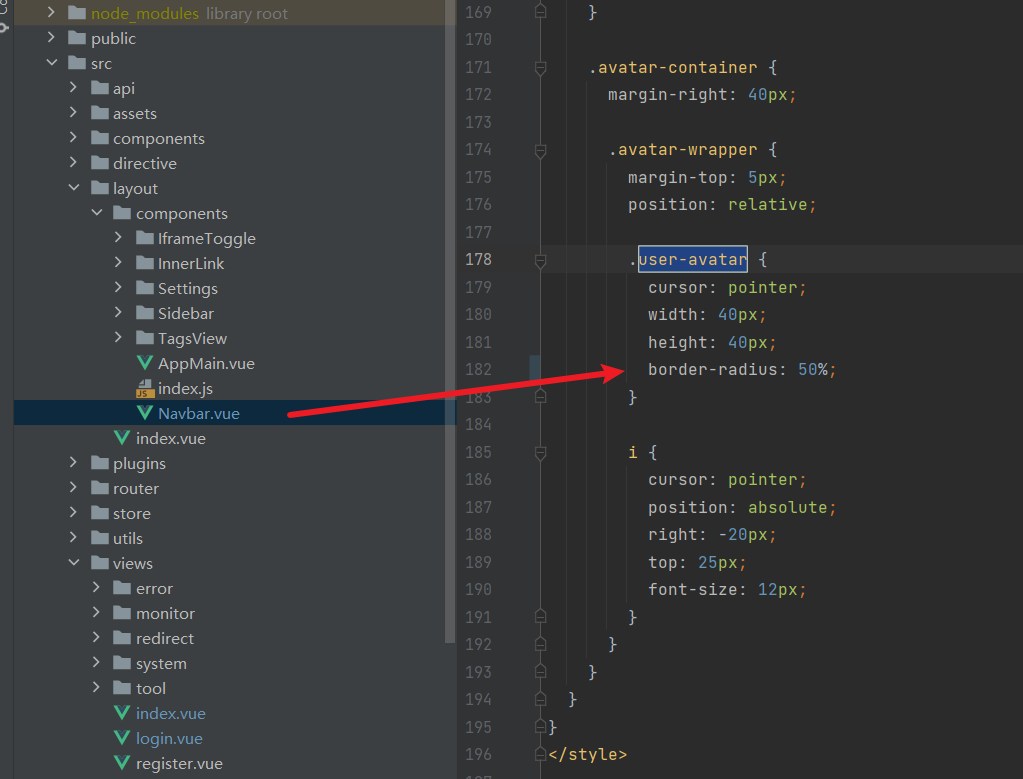
圆角头像
调整弹窗底部距离
在app.vue中加入
<style>
.el-dialog {
  margin-bottom: 6vh;
}
</style>
默认依赖
{
  "name": "ruoyi",
  "version": "3.8.7",
  "description": "若依管理系统",
  "author": "若依",
  "license": "MIT",
  "type": "module",
  "scripts": {
    "dev": "vite",
    "build:prod": "vite build",
    "build:stage": "vite build --mode staging",
    "preview": "vite preview"
  },
  "repository": {
    "type": "git",
    "url": "https://gitee.com/y_project/RuoYi-Vue.git"
  },
  "dependencies": {
    "@element-plus/icons-vue": "2.3.1",
    "@vueup/vue-quill": "1.2.0",
    "@vueuse/core": "10.6.1",
    "axios": "0.27.2",
    "clipboard": "^2.0.11",
    "echarts": "5.4.3",
    "element-plus": "2.4.3",
    "file-saver": "2.0.5",
    "fuse.js": "6.6.2",
    "js-beautify": "^1.14.11",
    "js-cookie": "3.0.5",
    "jsencrypt": "3.3.2",
    "nprogress": "0.2.0",
    "pinia": "2.1.7",
    "vue": "3.4.0",
    "vue-cropper": "1.1.1",
    "vue-router": "4.2.5",
    "vuedraggable": "^4.1.0"
  },
  "devDependencies": {
    "@vitejs/plugin-vue": "5.0.1",
    "@vue/compiler-sfc": "3.4.0",
    "sass": "1.69.5",
    "unplugin-auto-import": "0.17.1",
    "vite": "5.0.4",
    "vite-plugin-compression": "0.5.1",
    "vite-plugin-svg-icons": "2.0.1",
    "unplugin-vue-setup-extend-plus": "1.0.0"
  }
}
加Element滚动条
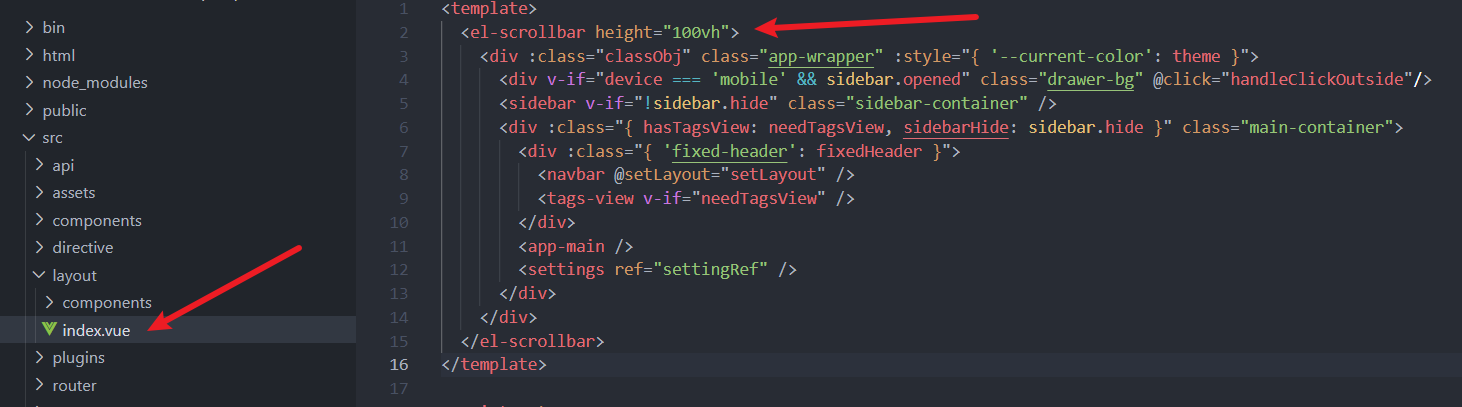
主要是解决如首页等页面出现滚动条后,顶部会产生左右移动问题,加上模拟滚动条防止移动
在src/layout/index.vue中包裹一层<el-scrollbar height="100vh">即可
element升级
默认使用的版本是"element-plus": "2.4.3",我升级到了2.9.5,和官方文档保持一致,方便查阅文档,升级后会报警告,需要根据官方文档做调整
el-tag升级
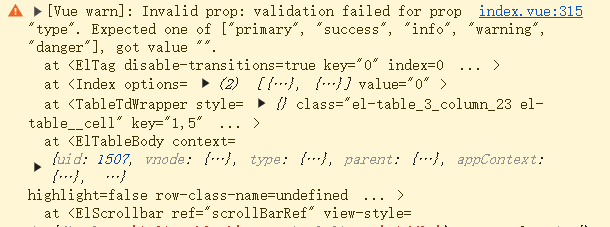
是由字典中的el-tag未正确传入type造成的,在src/components/DictTag/index.vue中将type的判断中,空字符做调整:
:type="item.elTagType === 'primary' ? '' : item.elTagType"
改为
:type="item.elTagType"
el-radio升级
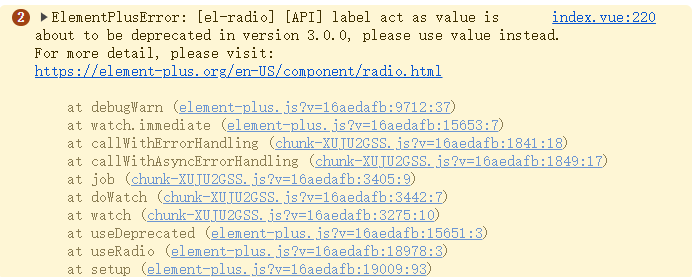
<el-radio
   v-for="dict in sys_normal_disable"
   :key="dict.value"
   :label="dict.value"
   :value="dict.value"
>{{ dict.label }}</el-radio>需要设置value属性
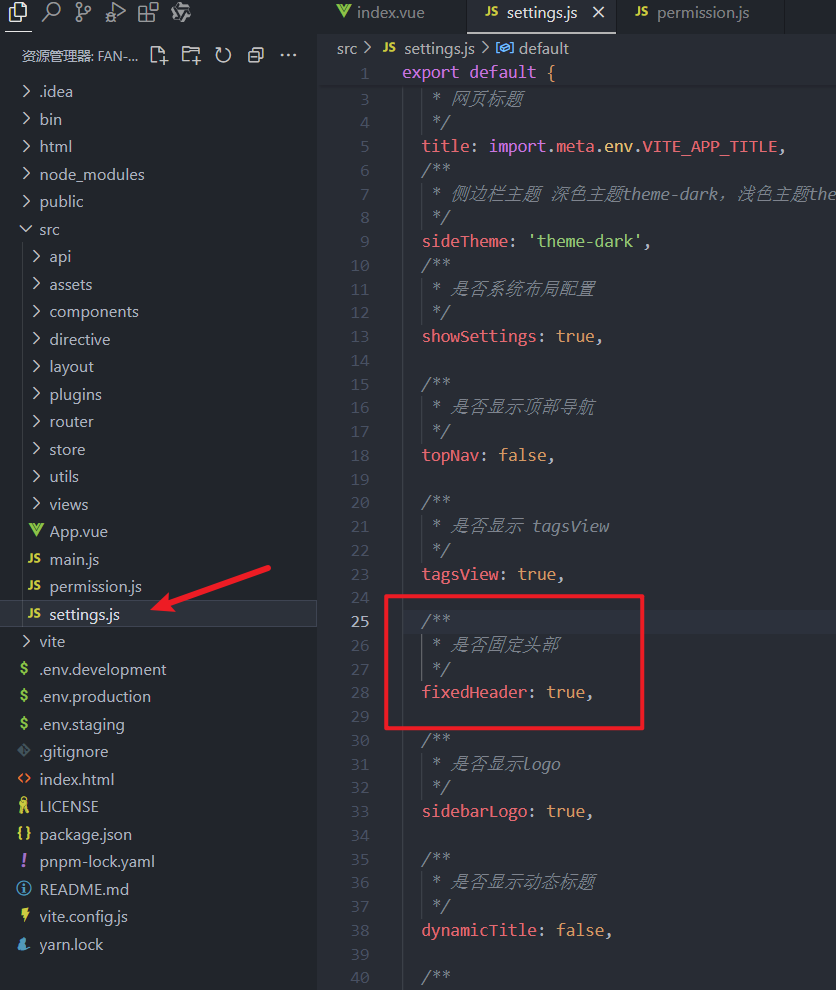
固定头部